 Briefmark
Settings
Open the gear button in the panel header. Saved settings apply across tabs in this browser profile.
Appearance
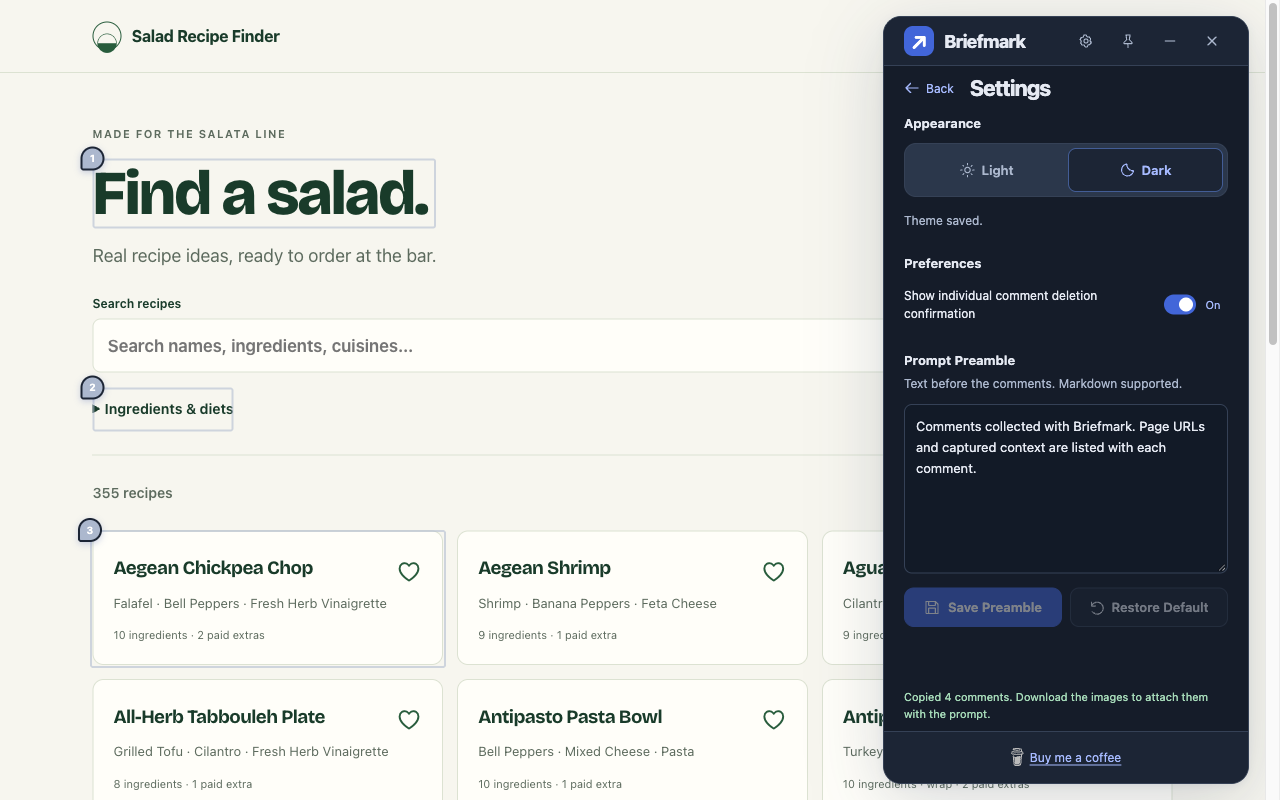
Section titled “Appearance”Choose Light (default) or Dark. This changes Briefmark’s panels, not the website.
Preferences
Section titled “Preferences”Show individual comment deletion confirmation is on by default. Turn it off for immediate individual deletion. Delete All Comments always asks for confirmation.
Prompt Preamble
Section titled “Prompt Preamble”Edit the introduction and click Save Preamble. Markdown is supported; an empty field omits it. Restore Default restores:
Comments collected with Briefmark. Page URLs and captured context are listed with each comment.
Copy and ZIP exports use the last saved preamble. Failed saves retain your edits. Save before closing or refreshing; layout changes keep unfinished edits while the document stays open.