 Briefmark
Global comments
Use a global comment for feedback that applies to the whole current page, such as its hierarchy, visual direction, or overall experience.
- Open More Comment Options beside Select Element.
- Choose New Global Comment.
- Write your feedback and choose Save, or press Ctrl/⌘ + Enter.
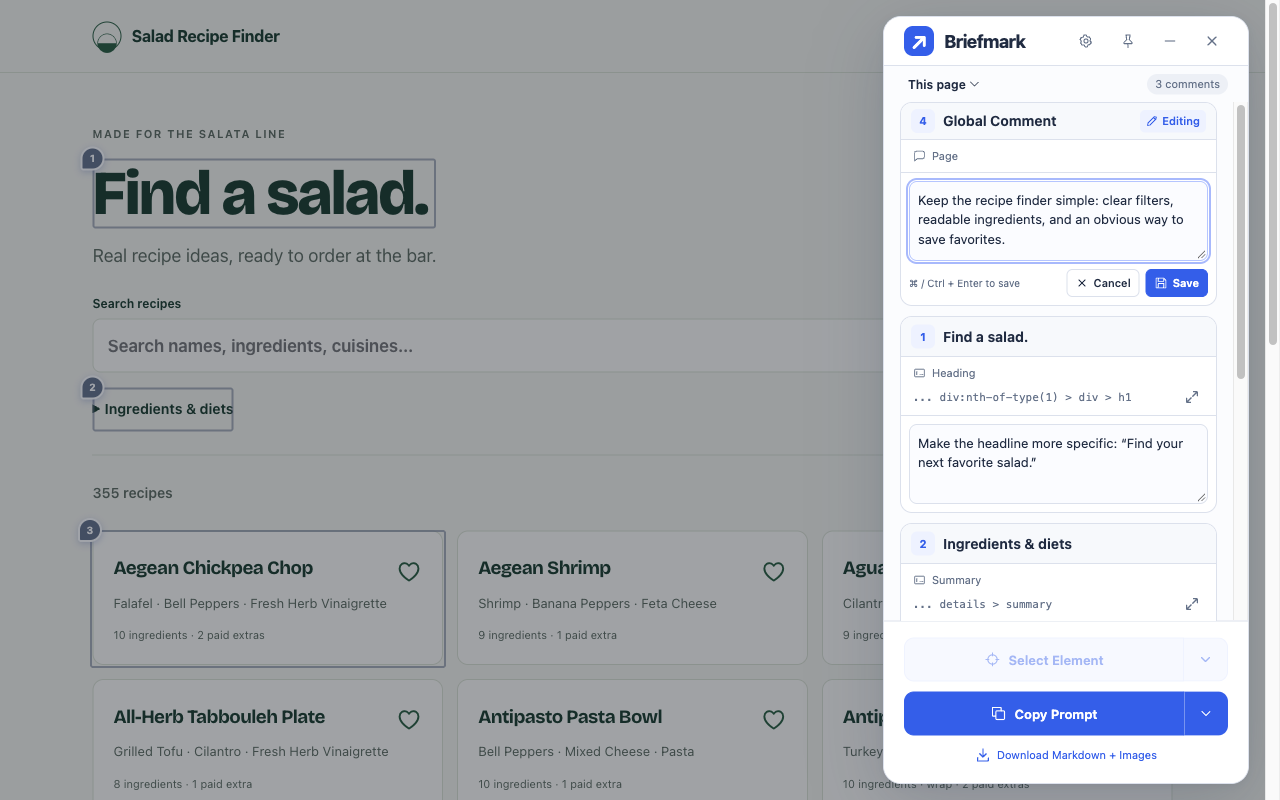
Global comments are saved with the current page’s title and URL. They appear with the other comments for that page but have no element or screenshot target, so they do not offer Locate.