 Briefmark
Inline comments
Use an inline comment when your feedback applies to a heading, button, image, form control, or another specific element.
- Open the website and activate Briefmark from your browser’s toolbar or Extensions menu.
- Choose Select Element, then click the target. Press Esc or choose Cancel Selection to stop without creating a comment.
- If the selected element is too narrow, choose Use Parent Element to select its container.
- Write your feedback and choose Save, or press Ctrl/⌘ + Enter. Edit in Sidebar moves the editor from the page into the sidebar.
Briefmark saves context such as the element type, selector, visible text, accessible label, and viewport size. This helps your agent identify the target when you send the feedback.
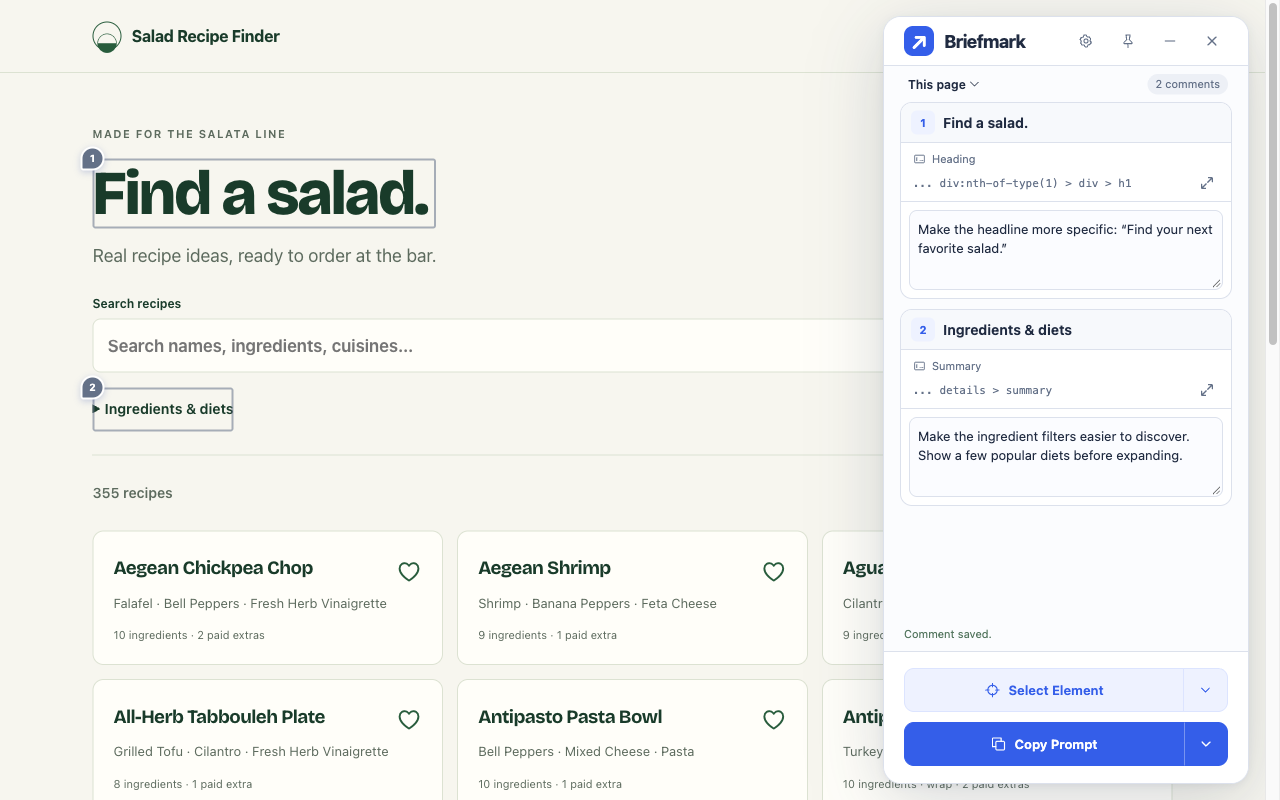
After saving, choose Locate to scroll back to the element and highlight it. If the website changes and Briefmark can no longer match the original element, your comment remains saved.